Filing a VAT Return Online: Bulgaria and EU Steps for 2026
Filing a VAT Return Online in Bulgaria: deadlines, documents, nil returns and EU rules, explained step by step with practical checks.
You've issued invoices through your Bulgarian company, paid for software from abroad, and received a reminder about your VAT return. Now you're wondering whether the invoices belong in the same reporting period, whether those overseas purchases need special treatment, and how to get everything into the National Revenue Agency portal.
Filing a VAT return online is straightforward once the preparation is done. You can handle the Bulgarian filing electronically, without visiting a tax office. The important work happens before you log in: classify transactions correctly, reconcile the ledgers, and make sure the person submitting the return has working access.
Table of Contents
- Bulgarian VAT Return Deadlines at a Glance
- Documents and Access You Need Before You Log In
- How to File Your VAT Return Online in Bulgaria
- Checking Figures and Avoiding Costly Errors
- How Bulgaria Compares With the UK and EU Rules
- Set Up Your Filing Calendar and Your Next Step
Bulgarian VAT Return Deadlines at a Glance
Bulgaria runs on a single monthly filing date. Sales your company invoices in March produce a return due on 14 April, and that same date governs every period: the Bulgarian Ministry of Economy's VAT reporting guidance confirms that VAT and applicable VIES returns fall due by the 14th day of the following month, filed electronically with your purchase and sales ledgers attached.
A quiet trading period doesn't remove the obligation. VAT-registered businesses submit a return even when there's no VAT payable or refundable and no supplies, acquisitions, or imports.
Bulgarian VAT filing obligations and due dates
| Obligation | Who it applies to | Due date | What you submit |
|---|---|---|---|
| Monthly VAT return | All VAT-registered businesses, including nil periods | 14th of the following month | Return plus purchase and sales ledgers |
| VIES recapitulative return | Intra-EU supplies, triangular transactions and qualifying intra-EU services | 14th of the following month | VIES return with EU customer VAT numbers |
| VAT payment | Businesses with net VAT due | Confirm the date in your NRA account | Amount due after filing |
Build the ledgers before you open the portal. They are part of the filing package, so reconcile them while you classify transactions rather than scrambling to assemble them on deadline day.
Treat filing and payment as separate tasks
Submitting the return doesn't transfer money to the NRA. Confirm the payable balance, payment deadline, and payment reference in your NRA account, then arrange payment separately. A submission confirmation is proof of filing, nothing more.
Practical rule: A month without sales still needs a filing decision, not an empty space in your calendar.
Make three calendar entries now: the monthly filing deadline, a check for transactions that trigger VIES, and a nil-return reminder. If you're accustomed to another country's reporting cycle, check your assumptions against our guide to monthly or quarterly VAT return filing before setting up recurring reminders.
Documents and Access You Need Before You Log In
Start with access, not invoices. You need the company's VAT number, access to the NRA electronic services portal, and a working QES with the appropriate authority to submit for the company.
For a non-resident founder, that means testing the entire login and signing process from abroad before the first filing deadline. Don't assume that possessing an electronic signature automatically means you can submit for the correct entity. Check the company selection, permissions, certificate validity, and any signing software your setup requires.
Keep this access-and-document checklist beside your accounting folder.
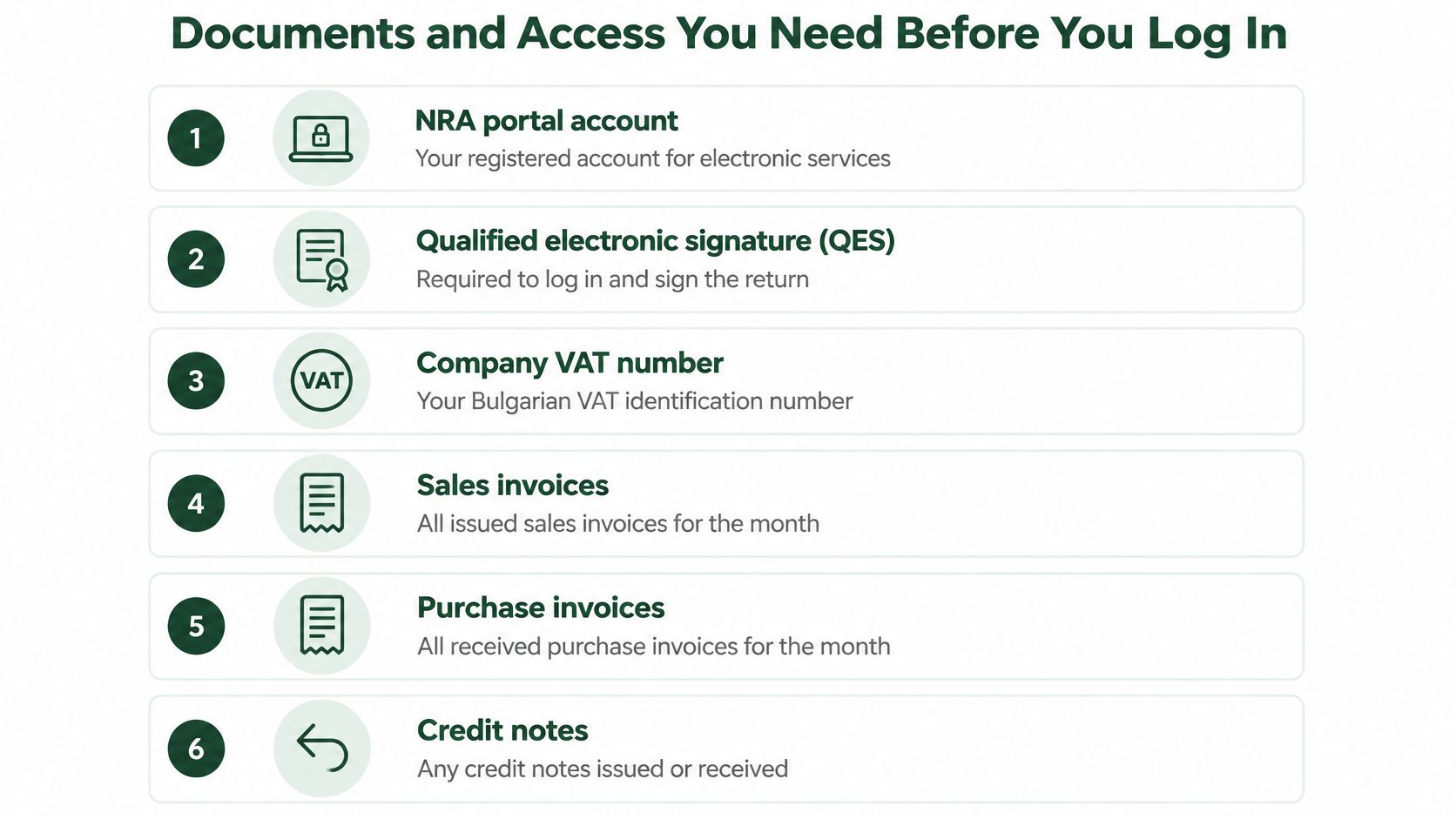
Build a complete monthly evidence pack
Gather issued sales invoices, received purchase invoices, credit notes, debit notes, and bank statements. Bank records help identify missing transactions and explain payments, but they don't replace the underlying invoices.
For intra-EU customers, collect their VAT identification numbers and validate them through VIES. Save the validation evidence with the customer record so your accountant isn't trying to reconstruct it during filing.
Export the purchase and sales ledgers from your accounting software, then compare their totals with the VAT account in your books. Classify transactions by their actual treatment: standard-rated, reduced-rated where applicable, zero-rated, exempt, or out of scope. Keep reverse-charge services purchased from abroad separately identifiable.
Use this readiness list before opening the return:
- Company identity: Confirm the VAT number and legal entity match the accounting records.
- Portal access and QES: Test login and signing so technical problems don't become deadline problems.
- Sales and purchase ledgers: Export the correct period, including relevant adjustments.
- Invoice evidence: Attach invoices and credit or debit notes to their accounting entries.
- Validated EU VAT IDs: Resolve missing or mistyped numbers before preparing VIES.
- Bank records: Investigate unmatched receipts and payments rather than ignoring them.
I'd aim to have this pack ready a couple of days before filing, not during the final login session. That's a working buffer, not an additional legal deadline.
How to File Your VAT Return Online in Bulgaria
Once the ledger pack is approved, the portal work becomes a controlled transfer of information. Keep the approved export open beside the return, and avoid changing transaction classifications halfway through submission.
The process below shows the main stages, from authentication to confirmation.
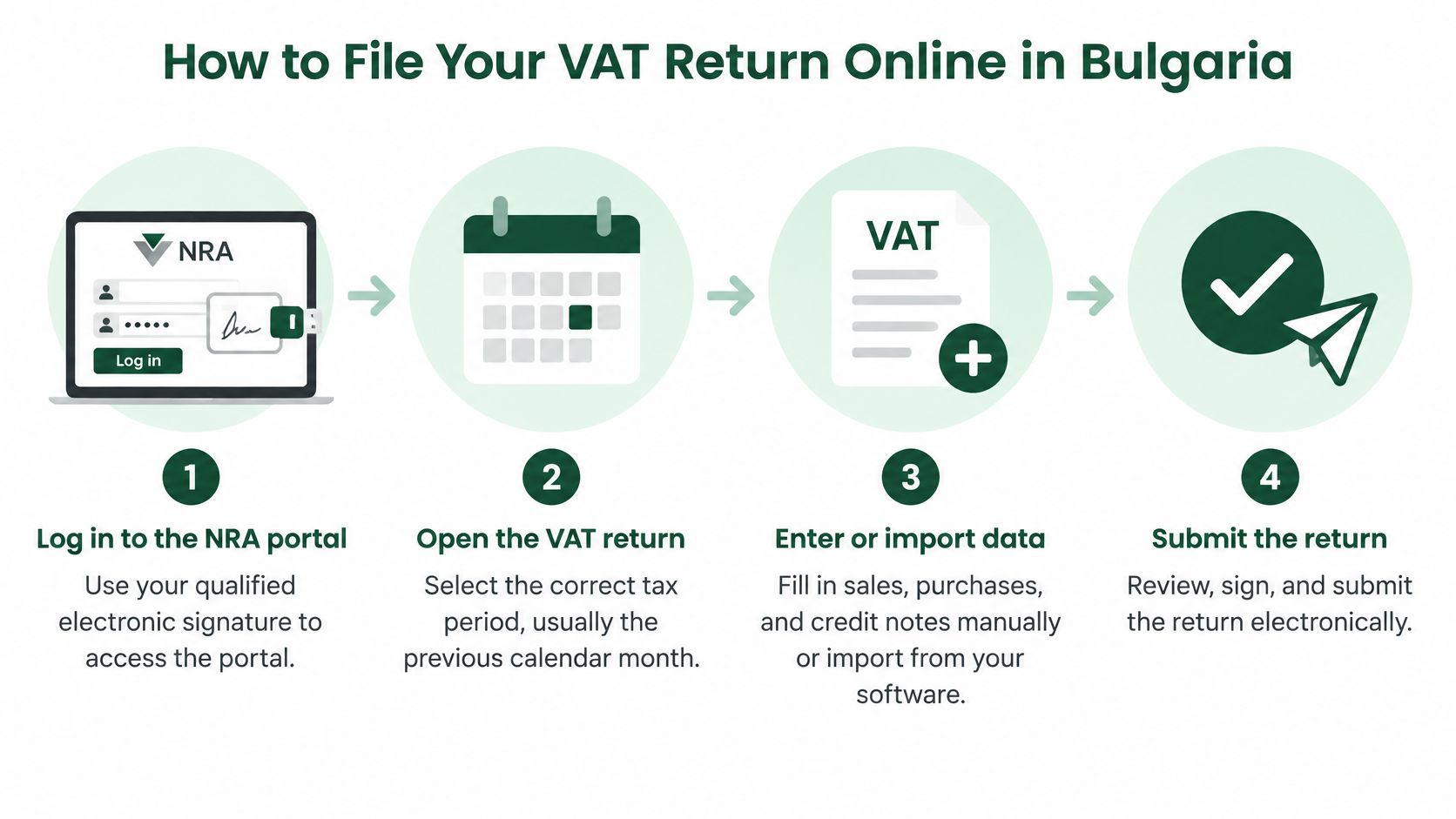
Complete the return from approved records
Log in with your qualified electronic signature. Open the NRA electronic services portal and confirm you're acting for the correct company, because a successful login alone doesn't establish which entity you're filing for. If an accountant submits on your behalf, make sure the necessary authorization is in place.
Select the correct tax period. Open the VAT return for the reporting month and compare it with the dates on your ledger export, since choosing the wrong period can produce an internally consistent but misplaced declaration. Check the period before importing anything.
Enter or import the prepared figures. Use the supported workflow for your accounting software and the current NRA service, rather than retyping totals from unrelated spreadsheets. Review the calculated output VAT, recoverable input VAT, and net position because software can calculate accurately from incorrectly classified transactions.
Upload the purchase and sales ledgers. Use the required file format and resolve validation messages before proceeding, because a readable spreadsheet isn't necessarily a valid submission file. If an upload fails, correct the source export rather than repeatedly changing individual lines inside different copies.
Complete VIES when applicable. Prepare the relevant EU transaction information from the same approved sales records, so customer identifiers and reportable amounts remain consistent. Don't include every overseas sale automatically; the transaction's VAT treatment determines whether it belongs.
Compare the final summary with your accounts. Match the net VAT position to the approved reconciliation and investigate any difference, even if the portal reports no technical errors. A clean validation result means the file passed those checks, not that every tax decision is correct.
Sign and submit the approved version. Apply the QES only after review is complete, because any subsequent change should trigger another review rather than bypass approval. Leave enough time to resolve rejection messages instead of treating an upload attempt as a completed filing.
Save the receipt and submission details. Download the confirmation, reference number, timestamp, and final submitted files because these establish what you sent and when. Store them together under the company and reporting period, not only in the submitter's email account.
Confirm acceptance before closing the task
Successful submission means the portal shows the relevant documents as received or accepted, with confirmation you can retrieve. A saved draft, an uploaded file awaiting signature, or a rejected declaration isn't the same thing.
For a visual accompaniment to the workflow, use the following video alongside the current portal instructions.
Once access, exports, and approvals are organized, the monthly filing session can be short and repeatable. The reliable shortcut is better preparation, not skipping review.
Checking Figures and Avoiding Costly Errors
A taxable invoice marked out of scope can make a return look tidy while understating output VAT. That's the kind of mistake a portal may not identify: the figures add up, but the transaction has the wrong treatment.
Don't assume you can edit an accepted return afterward. For comparison, HMRC's VAT return guidance explicitly says a submitted UK return cannot be amended directly. Bulgarian corrections must follow the applicable local procedure rather than a workaround copied from another jurisdiction.
Use a pre-submission validation gate
Compare the draft return with the general ledger and VAT control account. Check that each input-tax claim has suitable invoice evidence, then search for duplicate invoice numbers, missing customer VAT IDs, unprocessed credit notes, and unexplained movements.
VAT return symptoms, likely causes and fixes
| Symptom | Likely cause | Fix before the deadline |
|---|---|---|
| Nil return not filed | Assumed a month with no sales needs no return | File a zero-value return by the monthly deadline |
| VIES totals do not match the VAT return | Intra-EU supplies missing from the VIES return | Add the relevant EU transactions and recheck both |
| Output VAT looks too low | Taxable invoices tagged as out of scope by mistake | Reclassify the invoices and document the tax code used |
| Input VAT claimed without a valid invoice | Missing invoice or wrong supplier VAT number | Hold the claim until the invoice is corrected |
| Figures entered in the wrong boxes | Transposed amounts | Recalculate net VAT from ledger totals and compare |
| Customer VAT ID rejected | Typing error or unverified number | Validate in VIES and correct the source record |
VIES and VAT return totals won't necessarily be identical, because they cover different scopes. Reconcile the relevant EU transactions, rather than forcing the headline totals to match.
For invoice-level checks, use our guide to EU VAT invoice requirements to identify missing details before claiming input VAT.
A portal acceptance message proves receipt. It doesn't prove that an expense was deductible or a sale was classified correctly.
Document exceptions rather than guessing
Require a short written explanation for significant month-on-month changes. A large credit note, new overseas customer, or unusual supplier invoice may explain the movement, but the explanation should connect to evidence.
Have another person review non-routine tax codes, especially reverse charge and zero-rated sales. If you work alone, separate preparation from review and reopen the source documents rather than merely rereading the totals.
Keep the reconciliation, approval, submitted files, and receipt for the applicable statutory retention period. If an error emerges afterward, document its cause and establish whether corrected ledgers must accompany the appropriate return correction.
How Bulgaria Compares With the UK and EU Rules
A founder who has filed UK VAT returns for years often expects the same rhythm in Bulgaria. The portal feels familiar enough. The calendar does not.
Under the European Commission's VAT returns guidance, Member States must allow electronic submission, returns must be submitted at least annually, and the deadline cannot fall later than two months after the reporting period. Each country then sets its own frequency on top of that floor, which is why experience with one EU company's obligations tells you little about a Bulgarian company's.
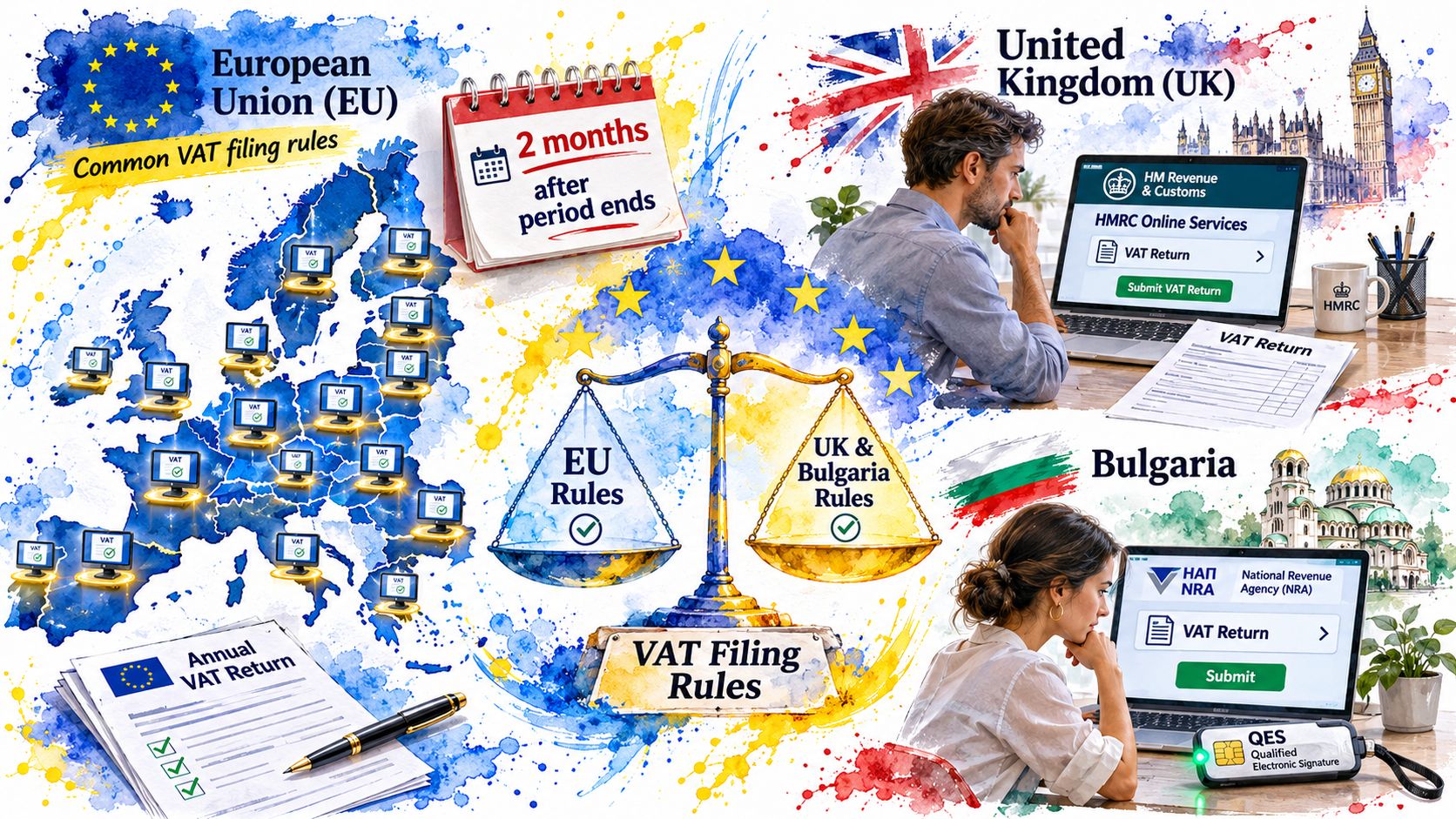
VAT return frequency and deadlines by jurisdiction
| Jurisdiction | Typical filing frequency | Deadline | Notes for cross-border sellers |
|---|---|---|---|
| Bulgaria | Monthly | 14th of the following month | Nil returns required; VIES required for qualifying transactions |
| United Kingdom | Usually quarterly | One month and seven days after period end | Filed online with HMRC; payment due on the same date |
| EU minimum rule | At least annually | No later than two months after period end | Actual frequency and method are set by each Member State |
HMRC's submission guidance confirms that UK returns are usually quarterly, with online filing and payment due one calendar month and seven days after the accounting period ends. Compare that with Bulgaria: twelve filing cycles a year instead of four, and a deadline that lands barely two weeks after the period closes. The Submit button is the easy part. With a monthly cycle, classification errors in week one can surface in a filing due days later, so the books need to be close to clean when the period ends rather than tidied up afterward.
Compare obligations, not just portal screens
For every country where you're VAT-registered, record the filing frequency, deadline, electronic identification method, and any recapitulative statement requirement. Keep these registration-specific obligations separate from the country where your customers happen to live.
Selling abroad doesn't automatically mean registering everywhere, and incorporating in Bulgaria doesn't erase obligations created by registrations or taxable activity elsewhere. Applying the reverse-charge VAT rules correctly is part of deciding which transactions belong in each reporting stream.
Prepare for transaction-level reporting
The European Commission's VAT in the Digital Age overview states that the package was adopted on 11 March 2025 and phases in over the following years, with e-invoicing-based digital reporting for cross-border B2B transactions scheduled later in the rollout.
A periodic return summarizes activity, while transaction-level reporting transmits structured details about individual transactions. Keep customer VAT IDs, invoice dates, tax codes, currency treatment, and credit-note links consistent across systems now, and don't assume an ordinary PDF invoice will satisfy structured reporting later. Clean source records are the preparation that serves today's filing and tomorrow's reporting alike.
Set Up Your Filing Calendar and Your Next Step
Put the next monthly deadline into your calendar this week, with an advance reminder that gives you time to chase missing documents. Add a separate reminder for QES renewal, and assign responsibility for checking that access still works.
The calendar should name an owner, not just display a date. A founder who assumes the accountant is filing and an accountant waiting for approval can both believe the task belongs to someone else.
Give every stage a clear owner
Use a simple recurring task list with visible completion status:
- Document collection: Name the person who gathers supplier invoices, customer invoices, adjustments, and bank records.
- Preparation: Identify who closes the period and produces the ledger exports.
- Review: Assign responsibility for unusual tax treatments and unresolved differences.
- Submission and payment: Record who files, who checks acceptance, and who authorizes the transfer.
- Archive: Confirm where the final evidence pack is stored and who can retrieve it.
Keep the handover explicit: Approved for filing and filed successfully are different statuses.
Run the readiness and validation checks during the final working stretch before submission. If something is missing, flag the specific document or decision needed rather than sending a general request to check the accounts.
Choose a delivery model you can maintain
Filing in-house works when someone has the time and knowledge to maintain the books; your own accountant is another route, while FastCorp's bookkeeping and accounting services include VAT reporting, annual returns, payroll, and tax compliance.
Whichever route you choose, retain visibility over the submitted return and the payment position. Delegating preparation shouldn't leave you unable to answer whether the latest period has been accepted or whether a balance remains outstanding.
For remote founders, the practical objective is a dependable online routine, not a monthly emergency. You should be able to locate the source documents, identify the approved figures, and retrieve proof of submission without reconstructing an email chain.
Pick the next filing date, mark it, and run the checklist once using last month's ledgers as a dry run. Don't submit the test; use it to expose missing access, documents, or approvals before the official filing.
FastCorp handles bookkeeping, VAT reporting, and ongoing compliance for Bulgarian companies, with legal paperwork and compliance managed for your company. Visit FastCorp to arrange support for preparing, submitting, and keeping your VAT filings organized online.